
InspectAssets product guide
Operate with evidence, not assumptions
A role-aware guide to managing sites, assets, inspections, continuous condition evidence, uncertainty, corrective actions, compliance evidence and reporting in InspectAssets.
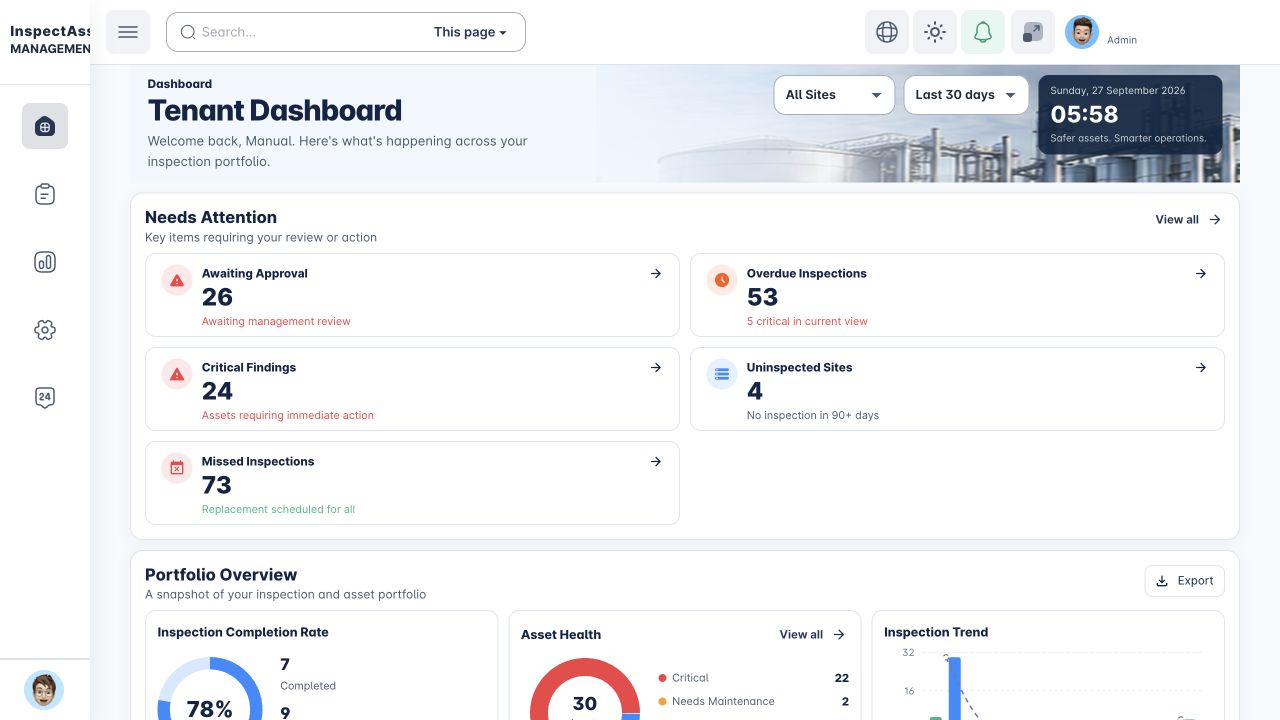
How the platform fits together
InspectAssets connects the physical asset register to evidence created in the field and, where configured, machine-condition evidence received between inspections. Sites establish where work happens. Assets identify what is being managed. Inspections establish condition and coverage. Continuous condition evidence can surface abnormal change earlier. Limitations preserve what is still unknown. Corrective actions close findings. Compliance and reporting turn the evidence into management-ready records.
This guide follows your access
You are reading it with an InspectAssets session. Navigation and search only include product areas available to your account. Platform-only documentation is shown only to verified InspectAssets platform administrators.
Complete a task
Choose the job you need to finish. Each task explains what must already be available, what to select, how to confirm the result and who takes over next. Your account still needs the relevant permission and record access.
- Submit an inspection with its evidence
- Review a submission and record the decision
- Execute, independently verify and close corrective work
- Export the intended records and confirm the output
- Issue and retire an external evidence review link
- Recover blocked or unsynced field work
The operating model
The platform is designed around an evidence chain rather than isolated forms. A healthy-looking asset and a complete inspection are not treated as the same thing.
Define the organisation, legal entities, billing structure, sites, site types and access boundaries.
Create assets, assign them to sites, record lifecycle information and set consequence dimensions so criticality can be derived consistently.
Assign the right template and inspector, then record an explicit assessment state for every applicable checklist item.
Inaccessible, not-inspected, unable-to-test and pending items reduce coverage instead of silently becoming “no defect found”.
Optional machine-condition evidence can add temperature, vibration, pressure, runtime, humidity, power or location context without making IoT mandatory for assets that do not require it.
Approvers see condition, coverage, uncertainty and, where applicable, machine evidence. Where unresolved limitations matter, they can request clarification or reinspection, reject, or formally accept a limitation/risk with a review date.
Corrective actions require proof-of-fix and verification. Compliance obligations and reports then reuse the resulting evidence.
Start with your job
Inspector workflow
Assessment states, required evidence, prior limitations, offline work, pre-submission review and inspection detail.
Manager & supervisor workflow
Scoped dashboards, inspection management, approvals, limitations, corrective actions and team reporting.
Site & asset administration
Legal-entity-aware sites, site types, asset criticality, evidence passports, lifecycle and operational views.
Machine-condition evidence
Device/source registration, telemetry, condition rules, event lifecycle, evidence policy and operational action.
Reporting & external evidence
Decision PDFs, audit packs, evidence packs, exports and time-limited auditor/client evidence portals.
Core concepts to understand first
- Asset Health
- A calculated condition view based on inspected condition and failed findings. Unknown assessment states do not automatically become defects.
- Inspection Coverage
- The proportion of applicable checklist scope that was actually inspected. Not-applicable items are excluded from the denominator.
- Management uncertainty
- Open limitations and unknowns that a decision-maker should see separately from asset condition.
- Evidence confidence
- A view of the strength and completeness of the evidence supporting the inspection or asset record.
- Risk Register
- A management view of assets carrying current risk signals from sources such as confirmed findings, unresolved limitations, asset health, compliance and open corrective work.
- Corrective Action
- A controlled remediation workflow that can require assignment, execution evidence, verification and closure.
- Asset Evidence Passport
- A permission-authorized evidence view bringing asset condition, coverage, confidence, inspection history, lifecycle evidence and available machine-evidence context together.
- Continuous Condition Evidence
- Optional machine-condition evidence received between inspections. It is Not Applicable by default unless configured or explicitly required by policy.
Who sees what
InspectAssets does not give every user the same menu, dashboard cards, reports or portfolio scope. Access is determined by permissions and, where relevant, the active subscription. Assignment and management scope also matter: an inspector can be limited to their own work while a tenant administrator can have organisation-wide visibility.
| Typical user | Primary responsibility | Common guide areas |
|---|---|---|
| Inspector | Conduct assigned inspections and capture defensible field evidence. | Inspections, Assets, Offline Queue, My Reports |
| Supervisor / Manager | Coordinate work, review uncertainty, approve or return submissions, manage actions. | Dashboard, Inspection Operations, Approvals, Corrective Actions, Team Report |
| Tenant administrator | Configure the organisation, people, sites, controls, compliance and billing access. | Sites, Users & Roles, Organisation Settings, Compliance, Accounting |
| Assurance / auditor-facing user | Generate reports, evidence packs and controlled evidence-sharing links. | Reports & Evidence Sharing, Audit Logs, Compliance |
| Platform administrator | Manage InspectAssets across customer organisations. | Platform Admin Guide |
Mobile and automation guides
Use the Mobile Field Guide for site assets, location verification, inspection evidence, offline sync, mobile menus and sessions. Use Operational Playbooks for the standalone automation workspace, triggers, controlled actions and execution history where your permissions allow it.
Finding the right answer
Press ⌘K, Ctrl K, or / to search the whole guide. Search results deep-link to the relevant section. For operational issues, the FAQ & Troubleshooting explains common permission, inspection, evidence and reporting problems.